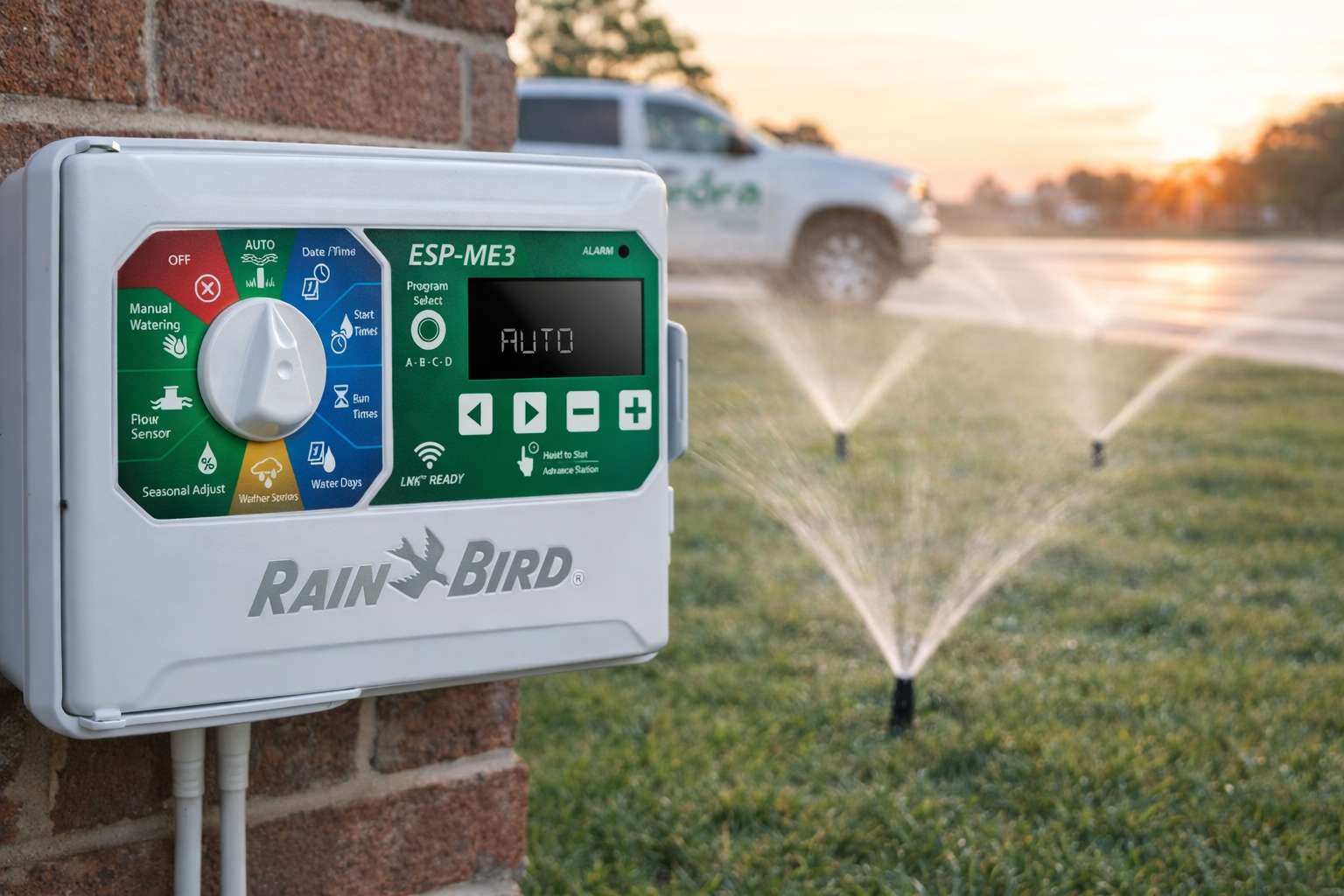
If you’re trying to figure out Rain Bird ESP-ME programming, getting your controller set up correctly is critical—especially in Dallas where watering schedules and soil conditions matter.
The Rain Bird ESP-ME controller is one of the most common systems we see across North Texas. It’s reliable and flexible, but only if it’s set up correctly.
This guide walks you through exactly how to program it step-by-step, using settings that actually work in Dallas conditions.
For additional Rainbird ESP-ME3 controller details, you can reference the official Rain Bird documentation.
What to Check Before You Start

Before you start adjusting settings, make sure:
- Your irrigation system is turned on
- All zones are functioning properly
- There are no broken sprinkler heads or leaks
If something isn’t working mechanically, programming won’t fix it.
If you’re unsure, this is usually where a quick irrigation inspection makes a big difference.
Step 1: Rain Bird ESP-Me Programming – Set Date and Time

Start by turning the dial to Date / Time.
- Use ← or → to move between settings.
- Use − or + to adjust each value.
- Hold − or + to move faster through the settings.
To switch between 12-hour and 24-hour format:
- When Day of Month is flashing, press ←.
- Use − or + to select your format, then press → to return.
If this is wrong, your entire schedule will run at the wrong time.
Step 2: Set Your Start Time (Most Important Step)

When it comes to Rain Bird ESP-Me programming, your start time is one of the most important settings.
Each program allows up to six start times, but in most cases, you only need one.
Turn the dial to Start Times
- Press Program Select to choose your program.
- Use ← or → to move between start times.
- Use − or + to set the time (check AM/PM).
- Press → to add additional start times if needed.
- To remove a start time, lower it to 12:00 AM, then press − again to turn it OFF.
Note: OFF sits between 11:45 PM and 12:00 AM.
Here’s the key:
You only need ONE start time per program
Recommended for Dallas:
- Start time: 4:00 AM
Optional:
- Add a second cycle later (6:00–7:00 AM) if needed for heavy clay soil
If you have multiple start times programmed, your system will run multiple full cycles. This is one of the most common overwatering issues we see.
Step 3: Set Run Times for Each Zone

Run times control how long each zone waters—and this is where most issues start.
Turn the dial to Run Times
- Press Program Select to choose your program.
- Use ← or → to move between stations (zones).
- Use − or + to set how long each zone runs.
- Press → to continue through all zones.
Note: Set any unused zones to 0 so they don’t run.
Pro Tip (Dallas):
Shorter run times with multiple cycles are often better in clay soil. This helps prevent runoff and allows water to soak in properly.
Each zone should be adjusted based on sprinkler type.
General guidelines for Dallas:
- Spray heads: 8–12 minutes
- Rotor heads: 25–40 minutes
- Drip irrigation: 30–60 minutes
These are starting points. Sun exposure, slope, and soil conditions all matter.
Step 4: Set Watering Days (Dallas Rules Apply)

Set watering to occur on specific days of the week.
Turn the dial to Water Days
- Press Program Select to choose the desired program (if needed).
- Press − or + to turn each selected (blinking) day ON or OFF. The controller will automatically move to the next day.
- Press ← or → at any time to move between days.
Note: With Sunday selected, pressing → will enter Cyclic Watering (see advanced settings). If you don’t want this, press ← to return to standard day selection.
In Dallas, most homes follow Stage 1 watering restrictions:
- Water 2 days per week
- Based on your address (odd or even)
Check your schedule here:
https://greenformlandscapes.com/dallas-watering-schedule/
Quick Reference
- Set correct date and time
- Use one start time
- Adjust run times by zone
- Follow Dallas watering days
- Use cycle and soak
Common Mistakes We See in Dallas
Even when homeowners try to do it right, these issues come up all the time:
- Multiple start times programmed
- Watering mid-day
- Overwatering shaded areas
- Broken or misaligned heads
- No seasonal adjustments
Most of these lead to wasted water and inconsistent lawn health.
When It’s Not a Programming Problem
If your lawn still isn’t responding, the issue may not be your controller.
We often see:
- Poor coverage
- Pressure issues
- Leaks or valve problems
- Heads spraying sidewalks or fences
At that point, it’s a system issue—not a settings issue.
Final Thoughts
A properly programmed irrigation controller is one of the most important parts of maintaining a healthy lawn in Dallas.
With the heat, soil conditions, and watering restrictions we deal with here, small adjustments can make a noticeable difference over time.
If you’d like a professional second look, we can evaluate your system and fine-tune it for Dallas conditions through our irrigation and drainage services.